
Quick summary
- Three.js WebGPURenderer brings modern GPU pipelines, compute workloads, and TSL materials to browser-based 3D. Migration still requires measurement because the renderer remains experimental and WebGL 2 can be the safer production target.
- Web 3D teams need to separate WebGPU's new capabilities from guaranteed performance gains and plan a transition that preserves support for older devices.
- Build a WebGPURenderer proof of concept around your heaviest representative scene, measure CPU and GPU frame time, and test the WebGL 2 fallback before committing to migration.
What happened
WebGPU is not simply “WebGL, but faster.” It exposes a graphics and compute model that maps more directly to modern GPUs, giving web applications clearer control over pipelines and access to general-purpose parallel work. In Three.js, the practical entry point is WebGPURenderer.
The strongest reason to adopt it is not an automatic FPS increase. Its value appears when render, compute, materials, and post-processing can be organized around workloads that were awkward or expensive in WebGL. That capability comes with a real migration cost: the renderer is still experimental, custom shaders need a new model, and both backends require testing.
What does WebGPURenderer actually change?
The official Three.js guide describes WebGPURenderer as a universal renderer that prefers WebGPU and automatically falls back to WebGL 2. One codebase can therefore reach newer and older devices, although a fallback does not make every WebGPU-only capability available on WebGL.
The architectural shift is more important than the renderer name. WebGPURenderer is built around node materials, Three.js Shading Language (TSL), a modern post-processing stack, and coordination between rendering and compute. Shader logic becomes a JavaScript graph that Three.js can transpile to WGSL for WebGPU or GLSL for WebGL.
import * as THREE from 'three/webgpu';

const renderer = new THREE.WebGPURenderer({ antialias: true });
renderer.setPixelRatio(Math.min(window.devicePixelRatio, 2));
renderer.setSize(window.innerWidth, window.innerHeight);
renderer.setAnimationLoop(() => renderer.render(scene, camera));
document.body.appendChild(renderer.domElement);
WebGPU initialization is asynchronous. Using setAnimationLoop() ensures initialization completes before the first frame. Applications that own a requestAnimationFrame() loop should call await renderer.init() before rendering.
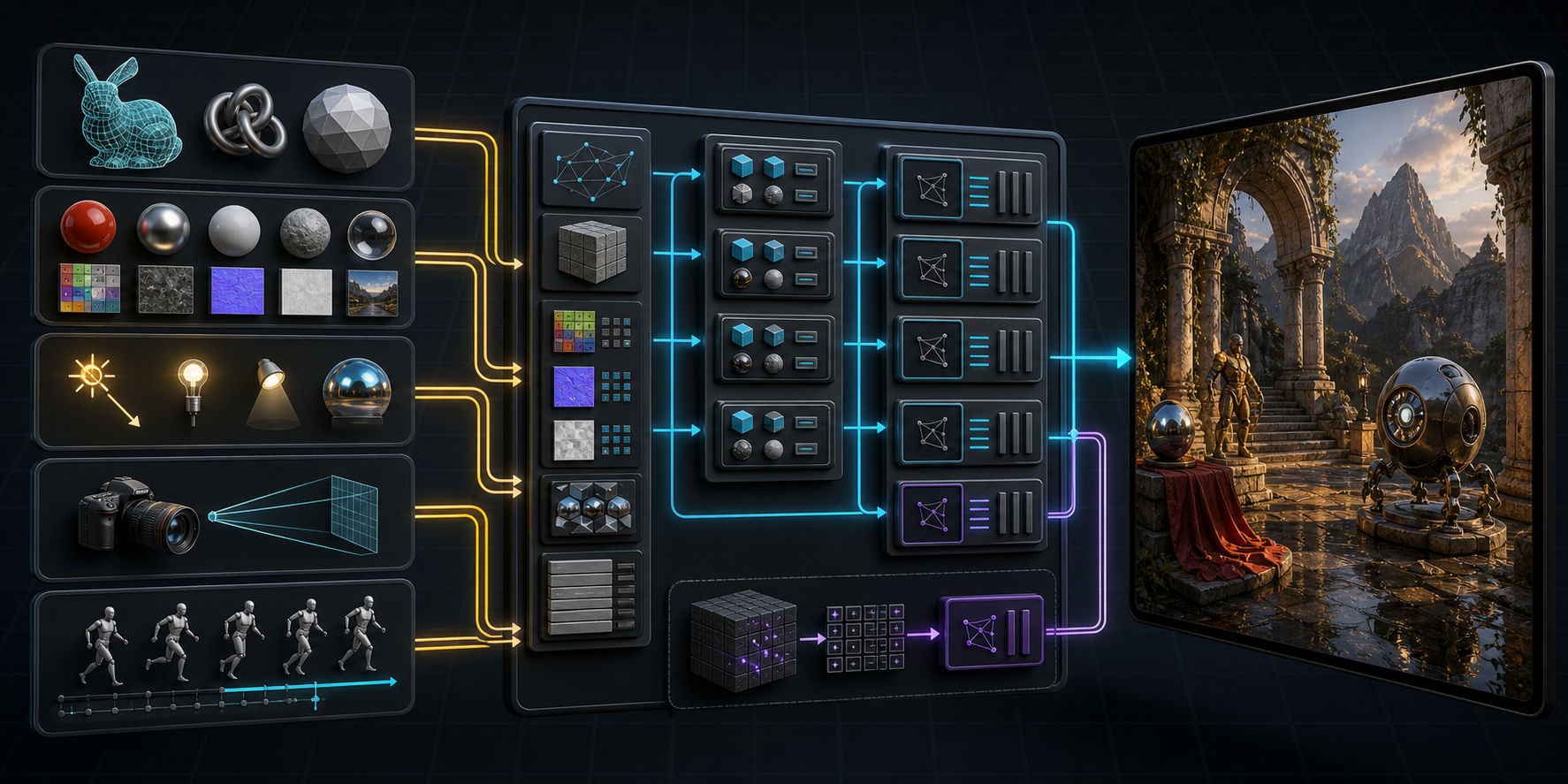
TSL matters more than swapping renderer constructors
The material layer is usually the hardest part of migration. ShaderMaterial, RawShaderMaterial, and built-in material patches made through onBeforeCompile() are not supported by WebGPURenderer. Those customizations must move to node materials and TSL.
TSL composes shader operations in JavaScript, reuses nodes, and lets the compiler remove duplicate work. It is more than a different spelling of GLSL: dependency ordering, type conversion, and backend output move into the Three.js node system. A well-designed shader graph can target both WGSL and GLSL.
Where do compute shaders help?
Compute pipelines are a core WebGPU feature. In a Three.js application they suit particle simulation, bulk transforms, procedural generation, data preparation, and other jobs that benefit from wide parallelism. Keeping data generation, updates, and consumption on the GPU can also reduce transfers between JavaScript and GPU memory.
Compute does not make every algorithm faster. Small workloads, branch-heavy tasks, or jobs that frequently read results back to the CPU may gain little. Measure CPU frame time, GPU frame time, buffer uploads, GPU memory, and frame-time stability—not only average FPS.
When should you wait?
MDN still marks WebGPU as Limited availability, and the API requires a secure HTTPS context. Three.js also explicitly calls WebGPURenderer experimental: features may be missing, and some scenes may perform better with WebGLRenderer.
- Keep WebGLRenderer when the product depends heavily on ShaderMaterial, onBeforeCompile, or the legacy EffectComposer stack.
- Avoid a full migration while a meaningful share of your audience uses untested WebGPU or fallback configurations.
- Do not promise a performance uplift before benchmarking the same scene, device, resolution, and visual quality.
A lower-risk migration plan
- Select a representative scene with a measured bottleneck.
- Switch to
three/webgpuand establish WebGPURenderer before rewriting every material. - Inventory ShaderMaterial, onBeforeCompile, and post-processing code that must move to TSL.
- Compare WebGPU, the WebGL 2 fallback, and the current WebGLRenderer under identical conditions.
- Expand the migration only after frame time, memory use, and device coverage meet product targets.
Conclusion
- WebGPURenderer is a new renderer architecture, not an FPS switch.
- TSL is the foundation for portable materials and post-processing across backends.
- Compute matters when large datasets can stay and run on the GPU.
- WebGL 2 fallback extends reach but still needs first-class testing.
- A measured proof of concept is safer than a project-wide migration based on expectations.
Why developers should care
Web 3D teams need to separate WebGPU's new capabilities from guaranteed performance gains and plan a transition that preserves support for older devices.
Recommended action
- 1Build a WebGPURenderer proof of concept around your heaviest representative scene, measure CPU and GPU frame time, and test the WebGL 2 fallback before committing to migration.